




BECAUSE ENERGY CONSUMPTION MATTERS
Data center cooling represents up to 50% of overall energy consumption.
An enormous amount of energy is used every day to maintain an acceptable intake temperature to the IT equipment. In recent years, there has been no greater positive impact on the cooling of data centers than the introduction of containment. The energy savings alone has saved hundreds of millions of dollars and has greatly decreased data centers’ carbon footprint. Data center containment has virtually changed the way IT facilities are designed and operated by fully separating cold supply from hot equipment exhaust air.
WHAT IS DATA CENTER CONTAINMENT
Data center containment is the separation of cold supply air from the hot exhaust air from IT equipment.
Aisle containment plays a crucial role in the modern data center. This system prevents hot and cold air from mixing with each other. This simple separation creates a uniform and predictable supply temperature to the intake of IT equipment as well as a warmer, drier return air to the AC coil.
Hot aisle and cold aisle containment is a primary way leading businesses today help reduce the use of energy and optimize their equipment’s performance within their data center. Adopting a cold and/or hot aisle containment solution increases air efficiency, translating to increased up-times, longer hardware life and valuable energy savings.
BENEFITS OF DATA CENTER CONTAINMENT
- Reduced Energy Consumption
- Increased Cooling Capacity
- Increased Rack Population
- Consistent Acceptable Supply to IT Intake
- More Power Available for IT Equipment
- Increased Equipment Up-time
- Longer Hardware Life
WHAT TYPE OF DATA CENTER CONTAINMENT IS BEST?
The choice depends on the facility design
The question most asked when it comes to data center containment is “what should I do — hot aisle, or cold aisle containment?” The choice depends on the facility design. Research has continuously proved that there is improved energy efficiency through the consistent separation of cold and hot air in data centers. There are several factors to be considered when determining which air to contain: obstructions, room design, space, budget, etc.
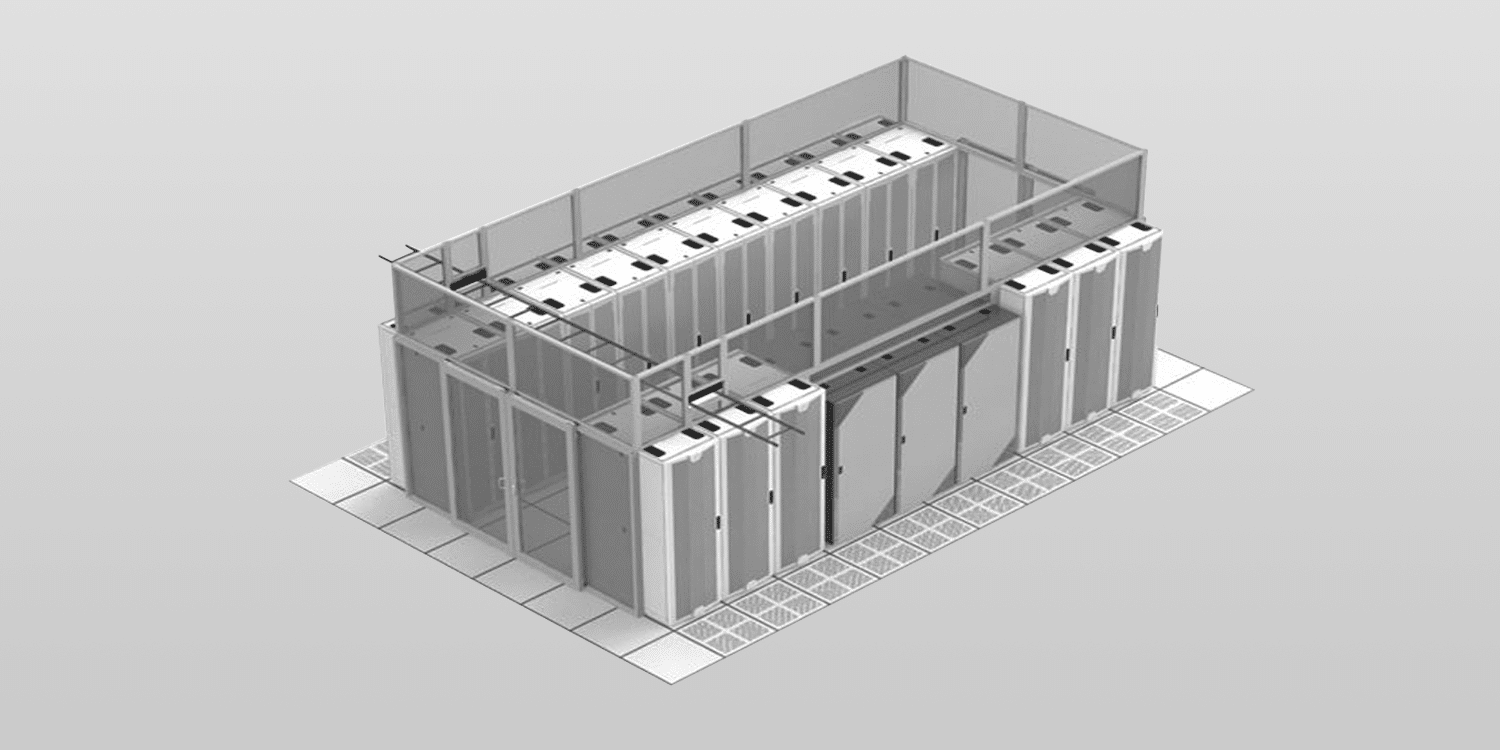
What is Cold Aisle Containment?
Cold aisle containment systems enclose the aisle of a data center to deliver a uniform and predictable flow of cold air directly to your facility’s IT equipment. Airflow controls are utilized to match the air supply needs of each individual aisle, eliminating hot spots and ensuring optimal operating efficiency. Cold Aisle Containment involves doors on the ends of the cold aisles and some form of partitions or roof over the cold aisle to contain supply airflow.
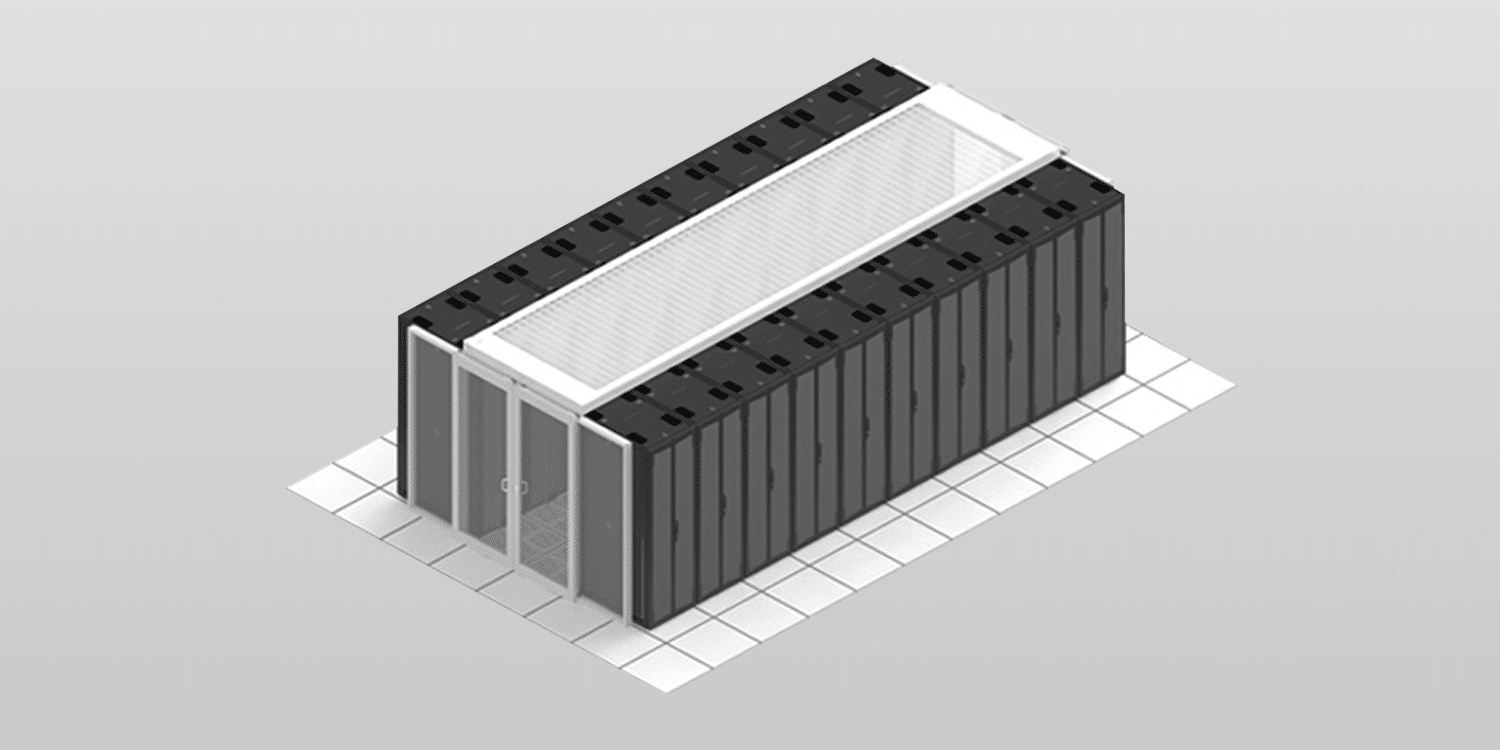
What is Hot Aisle Containment?
Hot aisle containment systems consist of a physical barrier that guides hot exhaust airflow back to the AC return. Hot aisle containment (HAC) increases the effectiveness of your data center cooling. Hot aisle containment includes doors on the ends of the aisle and a configuration of baffles and ductwork from the hot aisle to the returns of the cooling units. Drop ceiling plenums are often used as the means to duct the return air back to the cooling units.
DATA CENTER COOLING: BEYOND CONTAINMENT
Containment separates hot and cold air. That handles airflow. But data center cooling encompasses the entire heat removal system, and the strategy you choose affects everything from energy costs to how much density your facility can support.
Cooling represents up to 40% of total facility energy consumption. Even with a perfect containment system, you’re leaving efficiency on the table if you haven’t optimized the cooling infrastructure itself.
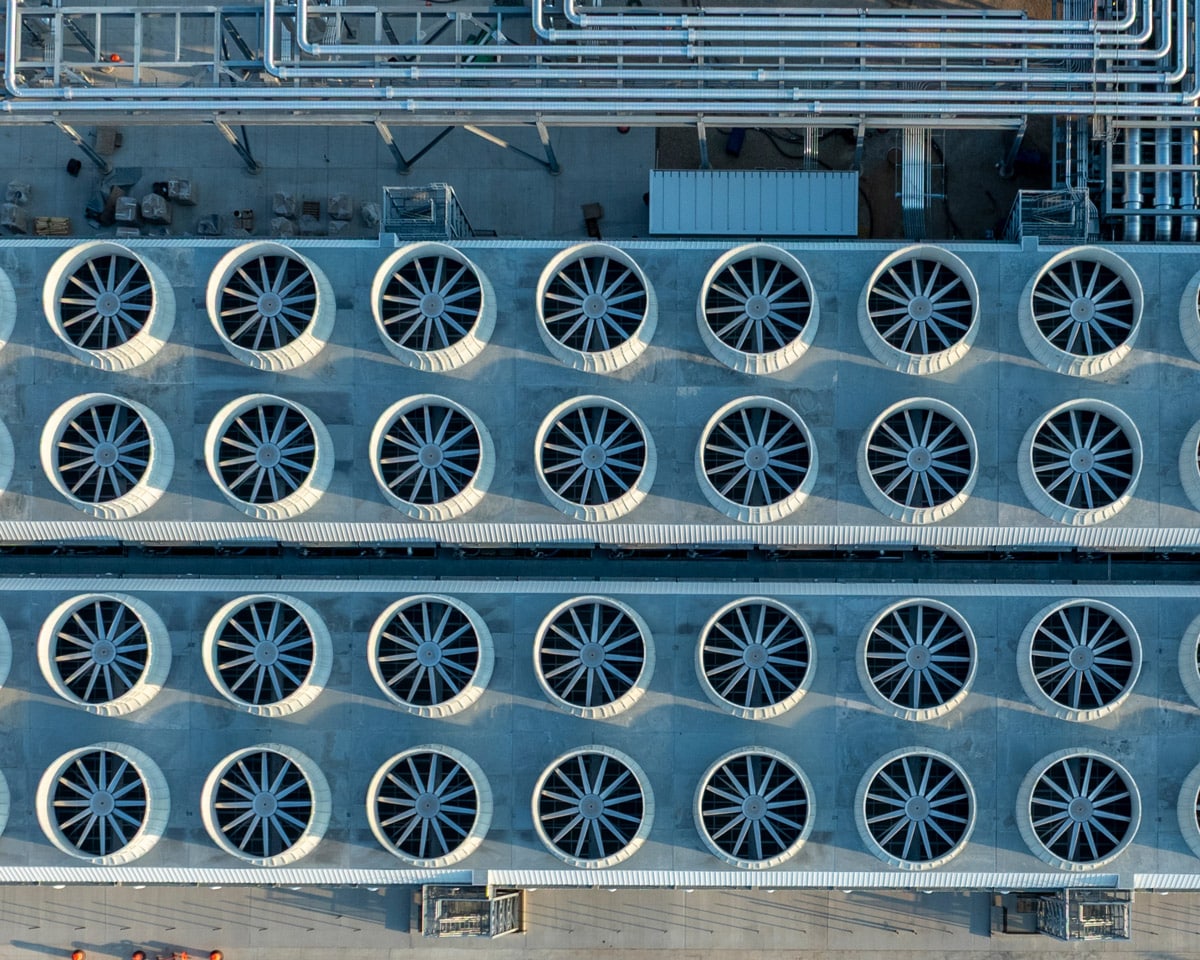
Data Center Temperature Optimization
With today’s average rack density sitting at approximately 15kW and climbing, most air-cooled data centers aren’t using their full cooling capacity. Once you’ve installed containment and handled the basics (blanking panels, sealing underfloor gaps), the next step is raising your temperatures.
Every 1°F increase in supply temperature cuts overall operating costs by approximately 1.6%. ASHRAE recommends operating server inlet temperatures up to 80.6°F (27°C), but many facilities still run far colder than necessary.
The second optimization is airflow itself. You only want to supply the CFM your IT equipment actually needs, typically 10-15% more than demand to maintain positive pressure in cold aisles. This reduces bypass air, which is expensive because you’re paying to both cool the air and move it. Cooling units equipped with VFDs or EC fans can maintain this balance while many newer facilities use perimeter cooling (CRAHs, fan walls) to flood the entire white space, avoiding the complexity of matching floor tiles to various rack densities.
Air Cooling vs Liquid Cooling
Air cooling handles up to 30-35 kW per rack efficiently when you have proper containment, wider cold aisles (6′ versus the standard 4′), and open plenum space above hot aisle containment.
AI and HPC applications are different. Rack densities now reach 80-120 kW and even higher. The NVIDIA H100 GPU pulls 500+ watts per chip. CPUs are crossing similar thresholds as manufacturers pack in more cores and accept higher power consumption to maintain performance improvements. Air can’t remove heat fast enough at these densities, even with optimal containment.
Direct-to-Chip (DTC) systems use cold plates mounted to CPUs and GPUs, circulating liquid coolant to remove heat directly at the component. DTC removes 75% of rack heat through the liquid loop. Air cooling removes the other 25%. Power supplies, memory modules, storage drives, and other components generate heat that requires airflow removal, so containment stays necessary in liquid-cooled deployments.
The Hybrid Approach
The future isn’t all-air or all-liquid. It’s hybrid. Data centers are transitioning to mixed environments where high-density AI and HPC racks use liquid cooling while standard-density infrastructure continues with air cooling.
For brownfield sites, this approach means you can add liquid cooling for specific high-density zones without overhauling your entire cooling infrastructure. For greenfield builds, you can design from day one with zones optimized for different cooling methods. Both scenarios require containment because you’re still managing substantial airflow for air-cooled equipment and residual heat from liquid-cooled systems.
Planning Your Cooling Strategy
Liquid cooling standards are still in the draft phase compared to air cooling standards. Climate conditions, power infrastructure, rack density, and workload type all determine whether a cooling approach will work in your facility. What succeeds in one data center can fail in another.
CFD modeling shows you thermal problems before deployment. It verifies that cooling reaches where it needs to go and prevents expensive retrofits when real-world temperatures don’t match the design spec.
Successful deployments start with understanding current operations and future capacity needs. Cooling infrastructure decisions impact facility lifespan, operating expenses, and density scaling capability. These aren’t variables you can easily change after installation.Our CFD and engineering team can model your facility’s specific configuration and workload requirements.

Thoroughly understand your Options
The decision affects the longevity of your facility and your bottom line
Intelligent data center solutions begin with understanding your unique situation. Let us educate you in the latest insights and options, so you can make informed and confident decisions for your facility.